
Edit Text in a Poster Online
Event moved to Saturday, venue changed, or price updated on a finished flyer? RetypeWords replaces text directly on exported PNG, JPG or WebP posters so you do not need the original design project.
PNG, JPG or WebP up to 10 MB, or paste with Ctrl+V / Cmd+V. Try one image on this device before creating an account.
Your workspace
PNG · JPG · WebPFree to try · No account to start
Sign up to download. Free exports include a mark.
How to Update a Poster in 3 Steps
1. Upload the clearest poster file
Drop in your exported PNG, JPG or WebP up to 10 MB, or paste from the clipboard. Start with the original design export rather than a compressed chat screenshot so dates, times and small print stay legible.
2. Select each line and enter your updates
Select every box you want to update — headline, date, time, venue or price — and verify Original Text (Detected) before entering your New Text (Replacement) and choosing ADD. Queue multiple edits across the same poster together.
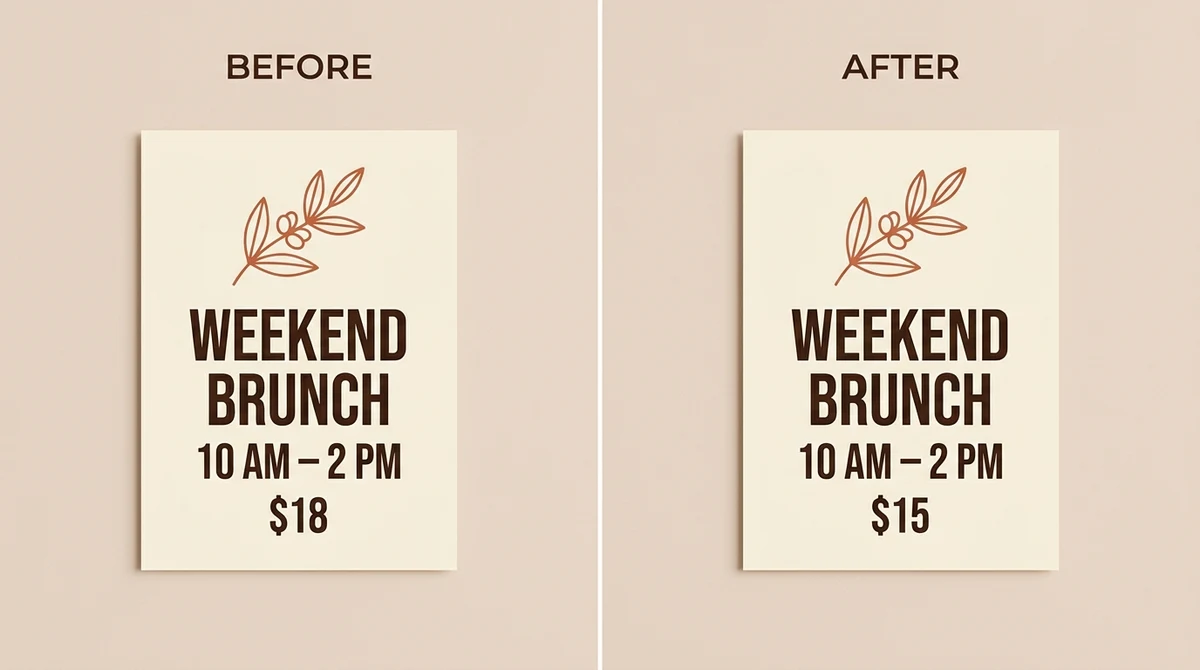
Before & After flyer price update: changing $18 to $15 directly on an exported brunch flyer.
3. Check numbers, hierarchy and download
Choose Generate — all queued changes on the poster run together for 1 credit. Zoom in on dates, times, prices, URLs and repeated details, compare the full poster with the original, and sign in to download.
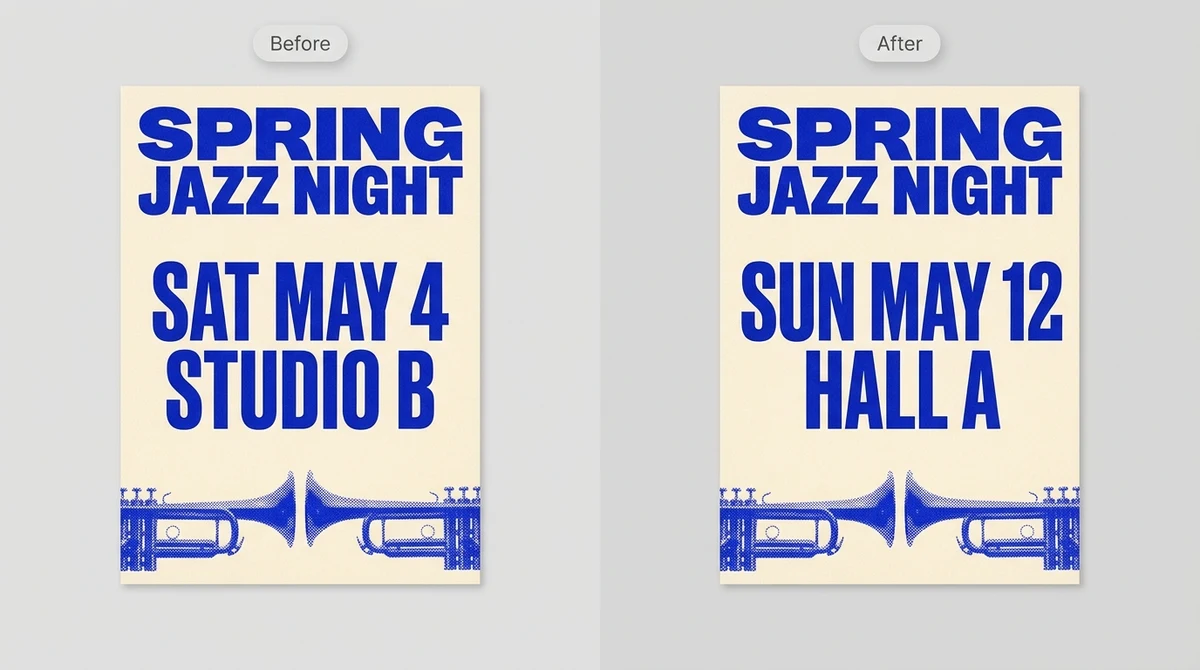
Before & After event poster update: changing date and venue together in condensed display lettering.
Updating a photo, screenshot or product image instead? Open the RetypeWords online image text editor.
What Usually Needs Updating on an Event Poster
Posters often repeat the same detail in more than one spot. Check each area before you queue your replacements:
| Poster element | What to update | Easy to miss |
|---|---|---|
| Main headline | Event name, edition number or campaign title | Taglines or subheadings that repeat the title |
| Date and time | Day, date, start and end hours | Day-of-week labels or small-print footer dates |
| Venue or location | Venue name, hall, room or address | Map captions or directional notes |
| Price or offer | Ticket tier, discount or admission note | Was/now comparisons or early-bird deadlines |
| Call to action | Registration URL, handle or booth info | Secondary sign-up lines near the bottom |
| Marks to preserve | Organizer logos, sponsor badges and illustrations | Small marks sitting close to edited lines |
What Works Well and What Needs a Closer Look
| Works well in place | Needs closer review |
|---|---|
| Headlines, dates, venues and prices on clean or gradient backgrounds | Dense small-print sponsor lists or heavily compressed social reposts |
| Replacement wording close in length to the original line | Much longer lines (like replacing one word with a full street address) |
| Digital flyer exports from design tools or print PDFs converted to PNG/JPG | Hand-lettered display titles, curved badges or decorative script |
| Updating several text blocks on one poster in a single task | Dates, prices and URLs where a single swapped character matters |
If the new copy is much longer than the original line, shorten it slightly so it fits the existing margin without crowding surrounding elements.
Frequently Asked Questions About Editing Poster Text
Can I update the headline, date and venue on a poster at the same time?
Yes. Select each detected box on the poster, add every replacement to the Pending List, and generate them together. One image task uses 1 credit regardless of how many text boxes you queue in that submission.
Do I need the original PSD, AI or Canva project file?
No. RetypeWords edits flattened PNG, JPG and WebP poster exports directly. It aims for a close visual match to the lettering already in your poster rather than recovering the original font file.
Will the background artwork or illustrations behind the text change?
Because the model redraws the frame, details outside your selection can shift slightly. Compare the full poster against the original and inspect logos, margins and background gradients before exporting.
Why should I inspect dates, times and prices closely?
Numbers, currency symbols and punctuation are harder to reproduce reliably than plain words. Zoom in to check every digit and repeated date across the poster before sharing or printing.
Is the poster text editor free to try?
You can try one image on this device before creating an account. Sign in to download; free exports include a RetypeWords mark, while paid exports do not. View plans and credits on our pricing page.
Update Your Poster with RetypeWords
Upload your poster or flyer, queue the lines you want to change and compare the result before downloading. See Pricing for plans and credits.